

Screenshots
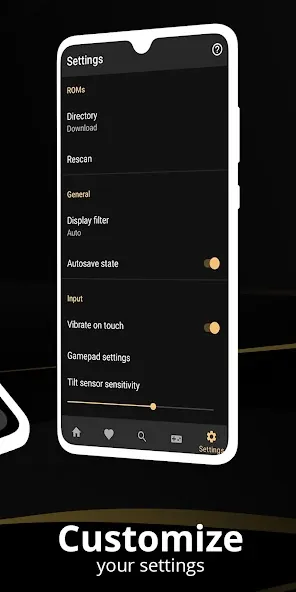
Description
Experience retro gaming with Full Roid Emulator MOD APK! Revisit beloved classics on mobile or TV with multiplayer support, automatic saves, and optimized performance. Get it today!
This build grants full access to the emulator's capabilities, eliminating restrictions from the standard edition. Full Roid Emulator MOD APK enables users to utilize all tools and premium features without extra requirements.
Enhancements in Full Roid Emulator
- Provides unrestricted access to the emulator's complete functionality and integrated tools.
This version 1.10.3 build has a file size of 82M, uses the package name com.fulldive.extension.fullroid.pro, and is re-signed, making it incompatible with official store installations.
Overview of Full Roid Emulator
Full Roid Emulator lets users play vintage console games through modern hardware. Developed by Browser by Fulldive Co., the company focuses on creating tools for gaming across all eras. This emulator stands out by supporting various Android devices, including phones and TVs. Games can be played in Full HD on all displays. Its versatility allows seamless transitions between mobile and home console gameplay.
Full Roid Emulator’s Save & Restore System offers advanced functionality ideal for lengthy, strategy-driven games like RPGs. This system features a background autosave service and a user-driven manual save function. Users can create up to 8 manual saves and load any of them at will. These features enable experimentation with different choices in games, allowing users to revisit decisions later. The system modernizes older games by adding conveniences they lack. The emulator is intuitive and easy to navigate, offering a flexible and advantageous experience.
Customizable Controls
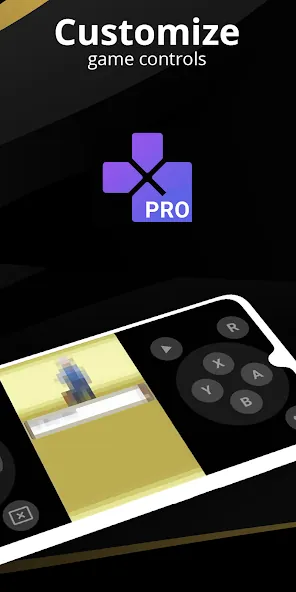
The interface allows users to design a layout that suits their preferences. Buttons can be placed anywhere on the screen. Touch controls are adjustable for different games. Bluetooth controllers are supported for games that offer controller input. Most users prefer controllers over touch controls. The emulator minimizes input lag between button presses and on-screen actions, crucial for fast-paced games like fighting games or platformers.
Multiplayer functionality is integrated into this emulator. The built-in multiplayer mode lets users play together or against each other. This is available for classic fighting games and RPGs. The emulator ensures long play sessions without freezing or crashing, even for demanding games like racing titles. Its performance-optimized design delivers smooth frame rates and responsive controls, mimicking the feel of holding a physical console.
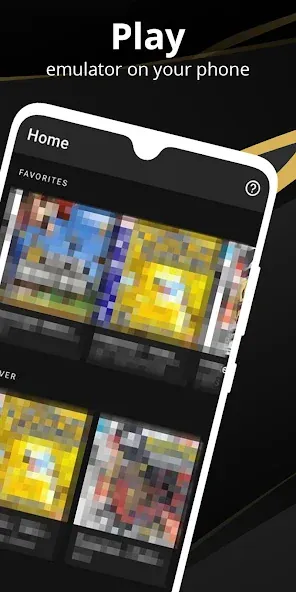
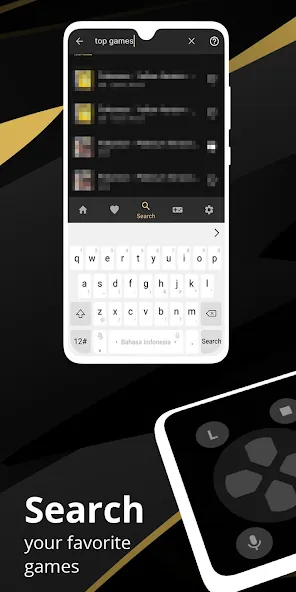
The Intelligent ROM Management System automates game file organization. This feature improves usability through its library population mechanism. It scans the device for game files and automatically adds them to the library if found. A search bar simplifies locating games in the digital library. Once legal files are loaded, the management system ensures quick and efficient game launching, ideal for large collections. Upon opening, users see organized game titles and covers, making thousands of games easily accessible.
Beyond gameplay, the emulator offers extensive customization. Users control how games are rendered, including aspect ratios and screen orientation. It supports the original 4:3 ratio for a true retro experience but also allows 16:9 or wider ratios for full-screen play. The emulator prioritizes lag-free performance for interactive games. Overall, it's user-friendly and delivers an exceptional experience for playing retro games on modern devices.
Key Features
- Ultimate Cross-Device Compatibility
- Robust Save & Restore System
- Automatic Backup
- Multiple Manual Quick-Load Slots
- Custom Gamepad Integration
- Bluetooth Controller Support
- Seamless Multiplayer Connectivity
- High-Performance Optimization
- Smart ROM Management
- Internal Storage Scanning
- Screen Orientation Locks
- Aspect Ratio Controls
- Original 4:3 Format Support
Related MOD APKs
- Wize Pro Emulator
- FullRoid
- My Boy! – GBA Emulator
- ClassicBoy Pro
FAQ
What does the Full Roid Emulator MOD APK unlock?
In this 1.10.3 MOD version, the Full Version is unlocked. All other features are identical to the official release from Fulldive Co., and modifications take effect immediately after installation.
What is the latest version of Full Roid Emulator MOD APK?
The 1.10.3 build matches the official release from Fulldive Co., last updated on June 1, 2026. We only host the latest version here. To update, install this build over your existing installation. If Android shows a signature conflict, remove the old app first.
Is the Full Roid Emulator MOD APK safe to download?
This 1.10.3 MOD file from GameUnlimit includes only the Full Version unlock. It has a 3.5/5 rating from 111 users. No root access is required. You may see a Play Protect warning during installation, but always use this page for downloads.
Can I use Full Roid Emulator MOD APK on PC or iPhone?
This Android APK is not compatible with iOS devices. On Windows or macOS, you can run the 82M file using emulators like BlueStacks or LDPlayer. Install the emulator first, then drag the APK into it.
How to install
- Download the APK file above to your phone.
- Allow “Install unknown apps” when prompted.
- Open the downloaded APK and tap Install.
- If the package includes OBB/XAPK data, follow the bundled instructions.
MOD APKs are modified builds, so Play Protect may show a warning. Install only if you trust the file; use at your own risk.