

Screenshots

Description
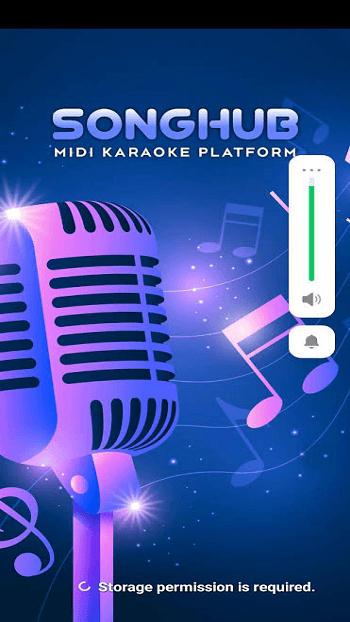
Transform your Android phone, tablet, or TV into a standalone karaoke system with SongHub APK. Explore its karaoke capabilities, setup instructions, activation process, and common issues.
For karaoke enthusiasts who prefer avoiding monthly subscriptions, SongHub offers an appealing alternative. This free karaoke player enables your Android device to function as a song-number karaoke system without requiring internet access once your music library is set up. Developed by jpdcs, the same creator behind SongHub Legacy (formerly MegaOke for PC), the SongHub APK has gained significant traction among karaoke fans since its release in late September 2026.
Please note that SongHub 2 on the iPad App Store is a separate songwriting application.
Understanding SongHub
SongHub functions as a karaoke player rather than a streaming service. You provide the music, either MIDI (.mid) and KAR (.kar) files with synchronized lyrics or MP3 tracks. The app accesses these files from a designated SongHub folder and plays MIDI songs using a SoundFont (.sf2) file, which defines the instrumental backing. No streaming occurs, eliminating buffering, and our inspection of version 3.1.67 confirmed no ad SDK was present.
Essential Features of SongHub Karaoke
– Compatible with phones, tablets, and Android or Google TV devices, with support for D-pad remote controls. – Plays MIDI, KAR, and MP3 karaoke files with customizable lyrics that can be resized and styled. – Loads custom .sf2 SoundFonts for enhanced instrument sound quality. – Displays background videos, photo slideshows, or live camera feeds behind the lyrics. – Includes a media player for personal MP4 and MP3 files. – Integrates with Smart Link Remote, a companion app that turns a secondary phone into a remote for song searching, queue management, and key adjustments.
SongHub APK Specifications
App Name: SongHub Latest Version: 3.1.67 (build 301), released October 4, 2026 File Size: 35.3 MB System Requirements: Android 6.0 or newer Package Name: com.songhub.android Developer: jpdcs Pricing: Free to download; activation key required Official Source: SongHub-Android releases on GitHub (not available on Google Play)
Setting Up SongHub on Android
1. Obtain the SongHub APK (app-release.apk) from the official SongHub-Android releases page on GitHub. 2. Launch the file and grant installation permissions from this source. 3. Create a SongHub folder in internal storage, on an SD card, or USB drive, including subfolders for karaoke files and .sf2 SoundFonts. 4. Add your own karaoke files or download the sample SoundFont and 526 MB song pack from the same GitHub page via Wi-Fi. 5. Open SongHub, input your activation key, and select a song number. To use Smart Link Remote, install it on a second Android 9+ device and connect both to the same Wi-Fi network.
Ideal Users for SongHub
SongHub is perfect for families seeking home karaoke solutions using their existing TV. Unlike platforms like Smule or StarMaker, it focuses on offline playback and full library control rather than online duets or recordings. The MIDI audio experience closely resembles traditional karaoke machines rather than studio-quality tracks.
Common Issues and User Feedback
SongHub, being a new release, has faced several challenges from early users:
– Activation is now required. Version 3.1.67 introduced a device-linked activation key, though the GitHub README still claims 'no activations.' The developer attributes this to users reselling the free APK. Keys are reportedly generated through an official SongHub Facebook page link, yet over 270 GitHub requests, mostly for keys, remained unresolved by October 9, 2026. – Recent updates disrupted older song packs. Users had to reinstall the app and download a new sample pack, with some songs being removed. – Unofficial versions are widely available. SongHub isn't on Google Play, and mirror sites list varying version numbers, with some sellers charging for the free app. Avoid keys or tools shared on forums. – The app requests broad permissions, including file access, camera, microphone, and update installation rights, reinforcing the need to install only the official version. – Some technical rough edges persist. Reports mention a laggy remote, incorrect song number recognition on Fire TV, failed sample downloads, and 'This song is not supported' errors.
Is SongHub Worth Exploring?
If you miss traditional song-number karaoke machines, SongHub stands out as one of the most innovative karaoke APKs of 2026. It's free, operates offline, and is ideal for living-room TV use. Download it exclusively from the developer’s GitHub page, back up your SongHub folder, and follow the official SongHub Karaoke Facebook group for activation and update updates.
How to install
- Download the APK file above to your phone.
- Allow “Install unknown apps” when prompted.
- Open the downloaded APK and tap Install.
- If the package includes OBB/XAPK data, follow the bundled instructions.
MOD APKs are modified builds, so Play Protect may show a warning. Install only if you trust the file; use at your own risk.