

Screenshots
Description
Lookr is a complimentary Android application designed to search, stream, and download web videos. Discover what the Lookr APK delivers, how to set it up securely, and key details to keep in mind.
What Is Lookr? Lookr APK Features, Download & Safety Guide
Serving as an all-in-one free Android package, Lookr integrates an internet browser, a video search engine, a media downloader, and an audio player. Listed under the full title "Lookr-AI Video Search&Download" on Google Play, this GameUnlimit guide breaks down its main capabilities, installation steps for the Lookr APK, and real feedback from everyday users.
Lookr APK at a Glance
App name: Lookr-AI Video Search&Download Developer: COIHUB TECHNOLOGY Package name: com.wecloud.lookr Latest version: 1.5.7.1110.01 Requires: Android 7.0 or newer Size: Roughly 45 MB (64-bit phones) Price: Free, contains ads, no in-app purchases Installs: 100,000+ on Google Play Released: January 2025
What Is Lookr?
Published on Google Play in January 2025, Lookr has quickly surpassed 100,000 downloads. Its official listing credits COIHUB TECHNOLOGY LIMITED, an enterprise based in Hong Kong, with contact information pointing to transsion.com—the prominent parent firm behind mobile brands like Tecno, Infinix, and itel.
Simply enter your search query to let Lookr scour the internet for matching videos, songs, movie trailers, and personal vlogs. You can either stream playback directly using the built-in media viewer or download files to enjoy offline. Depending on your location, Google Play reflects an overall score ranging between 3.6 and 4.2 stars across slightly more than 300 user reviews.
Lookr is developed solely for Android devices; the iOS application named "Lookr: AI Photo Privacy" is an entirely separate, unrelated tool.
Key Features of Lookr
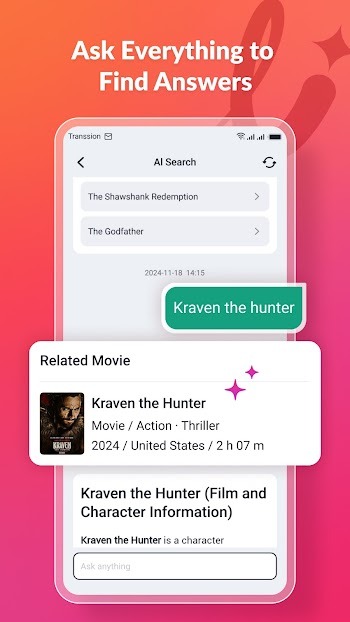
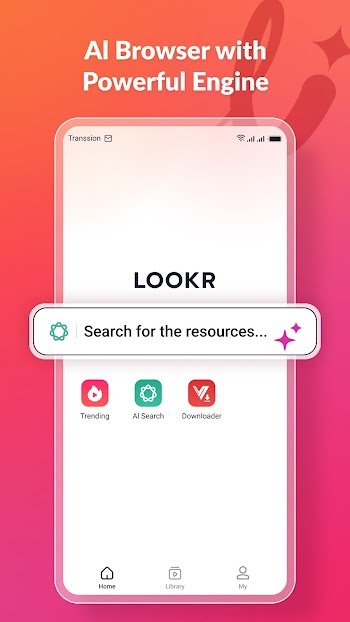
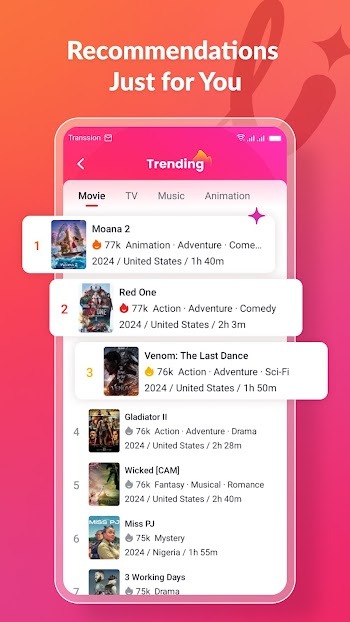
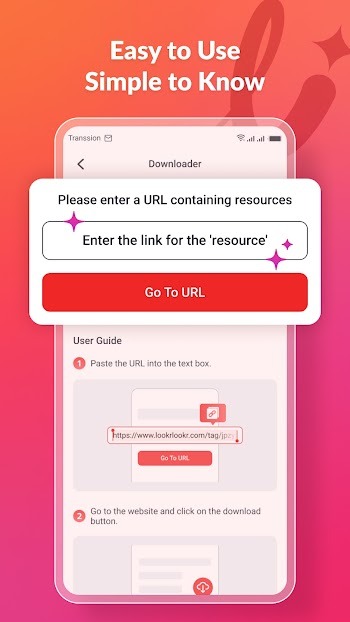
– AI Search: Utilize the smart assistant to hunt down videos, explore playlists, or summarize movie storylines. – Built-in browser: Instantly visit TikTok, X, Facebook, and Instagram with a single tap, while pinning as many as 15 go-to websites. It includes incognito tabs alongside proactive alerts prior to suspicious ad redirects. – Video sniffer and downloader: Easily grab content via the floating download button during browsing or insert a direct link into the Downloader tab, with all items stored in your Library. – Trending: Discover hot clips, current movies, and trending tracks. – Music player: Features top charts, personalized playlists, shuffle listening, and smooth background playback. – Video player: Search, download, and synchronize subtitles, adjust video resolution, and take advantage of display lock or floating mini-player viewing. – Guest mode: Access all features freely without mandatory registration, with optional sign-in via Google, phone number, or email.
How to Download and Install Lookr APK
The quickest method is via Google Play by searching for "Lookr-AI Video Search&Download" and tapping Install. If Google Play cannot be accessed on your device, you can manually set up the Lookr APK instead:
1. Verify that your device is powered by Android 7.0 or higher. 2. Grab the installer archive. Because Google Play splits Lookr into multiple packages, external distributions typically arrive as an XAPK file around 45 MB rather than an isolated APK. 3. Deploy it with a dedicated split-APK utility like SAI, granting "Install unknown apps" permission strictly to that tool. 4. Make sure the package identifier matches com.wecloud.lookr and the release version is 1.5.7.1110.01 or newer. 5. Launch Lookr, enable storage permissions along with notifications, and proceed either as a guest or by signing in.
Remember to disable "Install unknown apps" in your system settings once the installation finishes.
Known Issues and User Complaints
Take note of these key points prior to installing:
– Search issues: Multiple one-star reviews submitted in August and September 2026 mention empty search screens and broken movie downloads. A user pointed out that searches simply redirect out to Google, while another reported functionality broke following the most recent update. – Ads and performance: Google Play clearly tags the application with "Contains ads", with the top-voted critique from February 2025 complaining about excessive ad frequency; other feedback highlights sluggish download speeds. – Inactive support: No developer replies or customer support interactions are visible across Google Play reviews. – Ambiguous ownership: Lookr's stated privacy terms attribute the service to another entity called Excellent Innovation Limited. – Data handling: Per the Google Play Data Safety summary, Lookr gathers hardware device IDs (partially for targeted advertising), usage details like query history, crash reports, and your email address upon registration. – Age classification: Although Google Play gives Lookr an all-ages rating, its official privacy policy explicitly excludes children under 14, especially as the internal browser permits unrestricted web navigation. – Copyright considerations: Grabbing multimedia from platforms such as TikTok, Facebook, Instagram, or X can violate their terms of service and intellectual property statutes. Download content only when you hold appropriate distribution rights.
Final Verdict
Lookr brings together AI-driven search, web navigation, media downloading, and audio playback inside an entirely free suite. Download it directly through Google Play whenever available, and be sure to check the package identifier if deploying the Lookr APK manually. Because of recent user reports regarding search glitches, test out a couple of queries first before making it your primary media tool.
How to install
- Download the APK file above to your phone.
- Allow “Install unknown apps” when prompted.
- Open the downloaded APK and tap Install.
- If the package includes OBB/XAPK data, follow the bundled instructions.
MOD APKs are modified builds, so Play Protect may show a warning. Install only if you trust the file; use at your own risk.