
Screenshots

Description
Buttons remapper is a handy Android tool designed to replace touchscreen taps with physical hardware button inputs, delivering an intuitive new way to interact with your smartphone.
Navigating a smartphone via touchscreen gestures often comes with inconveniences, from unpredictable screen sensitivity to frustrating freezes. For elderly individuals, young children, or users with poor eyesight and physical disabilities, touch-based navigation can be particularly challenging. Buttons remapper was created to solve these exact hurdles, offering maximum support by substituting standard touchscreen actions with tactile physical button presses.
Convert Touch Gestures to Physical Button Actions
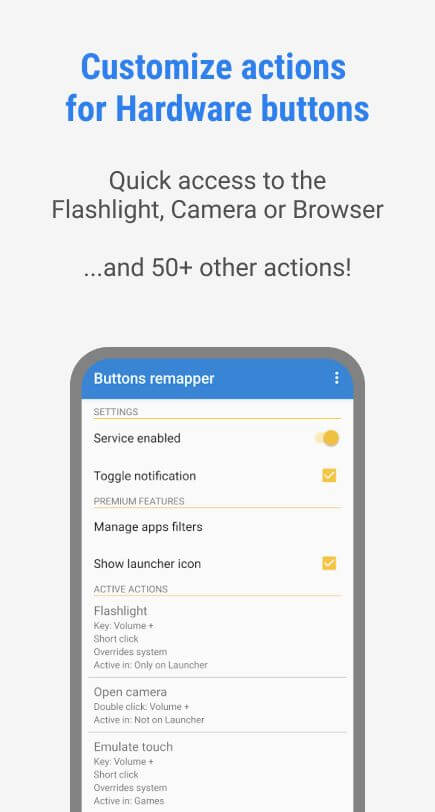
Buttons remapper features a flexible command system that completely transforms how your Android device receives user inputs. While pressing the power button usually just locks or wakes the screen, this app lets you assign custom tasks to it—such as tapping once to launch the camera or double-clicking to turn on the flashlight. You can map actions across external hardware keys like the power button, volume rockers, or physical home button without relying on onscreen soft keys.
Effortlessly Launch Browsers, Cameras, and Favorite Apps
After assigning commands to your phone's physical buttons, you can immediately test them in action. Accessing your favorite applications becomes remarkably straightforward: simply press or hold down a hardware key to open your browser, trigger the camera, or activate the flashlight. This seamless setup makes everyday phone features accessible even for people unfamiliar with touchscreen controls.
Furthermore, remapping saves precious time when opening apps throughout the day. While it might take a moment to memorize which hardware key corresponds to each shortcut, regular use quickly builds natural muscle memory. You will soon find physical key controls far faster, more tactile, and much more dependable than tapping on a glass display.
Packed with Versatile and Practical Features
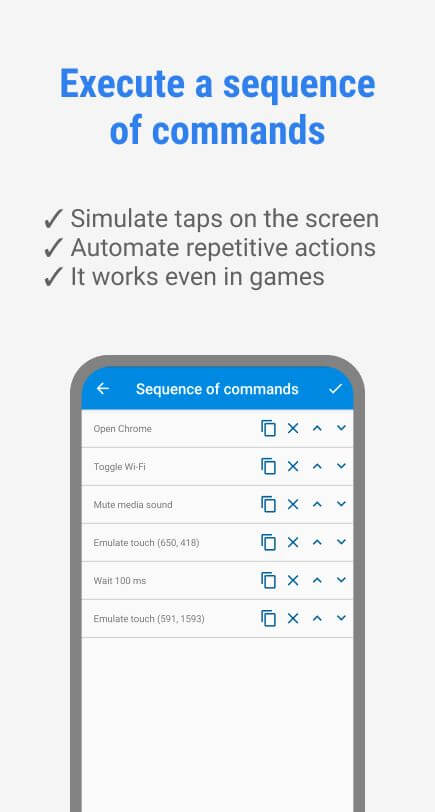
Buttons remapper goes well beyond launching applications and toggling the flashlight; it introduces advanced key combination capabilities. You can easily capture screenshots or record your screen using hardware keys while browsing news, or launch a media player and adjust playback volume with dedicated physical controls. The app smoothly interprets multi-button configurations, executing multiple commands at once without hesitation.
Modify and Reassign Shortcuts Anytime
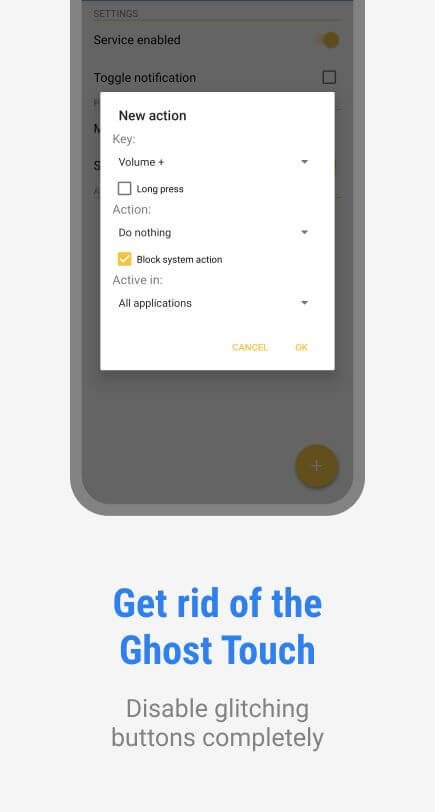
Unsure which hardware buttons to substitute for your everyday touch controls? Feel free to test out your initial ideas with zero worries. If a specific key mapping feels awkward or uncomfortable, you can instantly reassign or reset system commands within the settings menu. There is no limit to how often you can customize your setup, giving you total freedom until you discover the perfect configuration.
An Accessible and Convenient Setup for Daily Use
Over time, prolonged touchscreen use can lead to lag, frozen screens, and unresponsive touch layers. In wet conditions like rain or while operating a vehicle, using a touchscreen becomes tricky and hazardous, and Buttons remapper provides the ideal hands-on solution. You can handle incoming calls and trigger essential operations without touching the display. Beyond assisting drivers and commuters in rainy weather, this app is a tremendous accessibility aid for individuals with physical disabilities who struggle with standard touchscreen gestures. Everything becomes simpler with the press of a physical button!
Key Features
- Substitute touchscreen gestures with physical button presses, making it quick and easy to launch the camera, turn on the flashlight, or open a browser with single or multi-press actions.
- Operates exclusively with your device's external hardware keys—including the power button, volume controls, and home key—without altering any virtual touchscreen buttons.
- Effortlessly bind custom actions to hardware buttons via in-app settings, with unlimited freedom to modify assignments whenever you wish.
- Program multi-button combinations to execute concurrent actions seamlessly, such as listening to music while tweaking screen brightness.
- The perfect accessibility solution for handling your phone in the rain, while driving, or for users with motor and physical impairments.
How to install
- Download the APK file above to your phone.
- Allow “Install unknown apps” when prompted.
- Open the downloaded APK and tap Install.
- If the package includes OBB/XAPK data, follow the bundled instructions.
MOD APKs are modified builds, so Play Protect may show a warning. Install only if you trust the file; use at your own risk.