

Screenshots
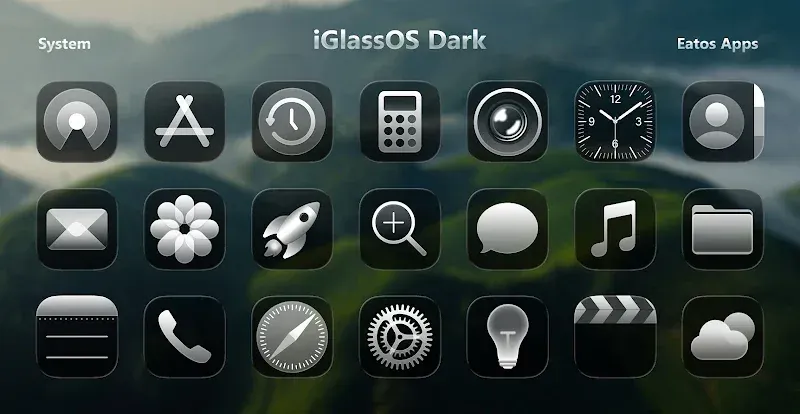
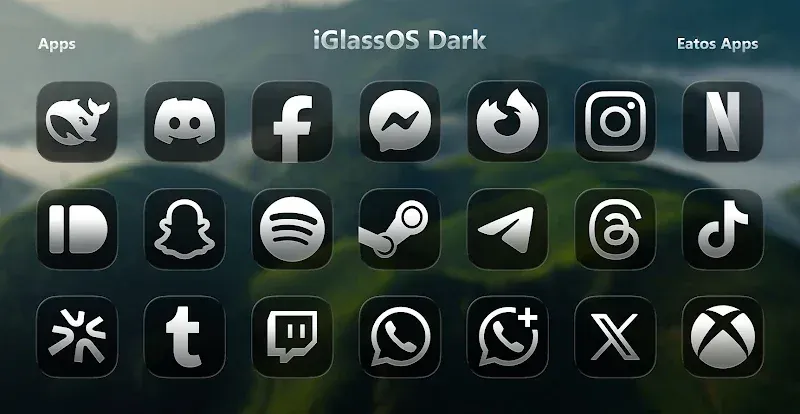
Beschreibung
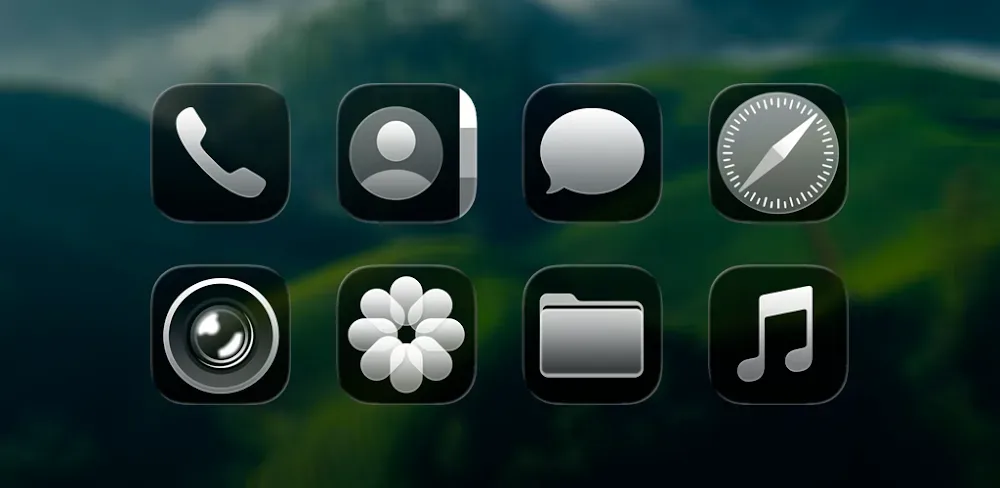
Transform your Android home screen using iGlassOS Dark MOD APK – Icon Pack. This package delivers high-end translucent dark glass icons alongside crisp HD wallpapers, fully compatible with major launchers to give your setup a sleek, contemporary aesthetic.
With this modified release of iGlassOS Dark MOD APK available on GameUnlimit, you enjoy the complete premium suite with all restrictions removed. Freely access the entire catalog of dark glass icons and exclusive wallpapers without paying extra.
What Is Modified in iGlassOS Dark
- Grants the full premium version with all icons and customization features completely unlocked.
This build is version 1.4.9 with an installation size of 40M under the package name com.eatos.iliquid.glassdark; it is re-signed, meaning you must remove any existing Play Store release before installing.
About iGlassOS Dark
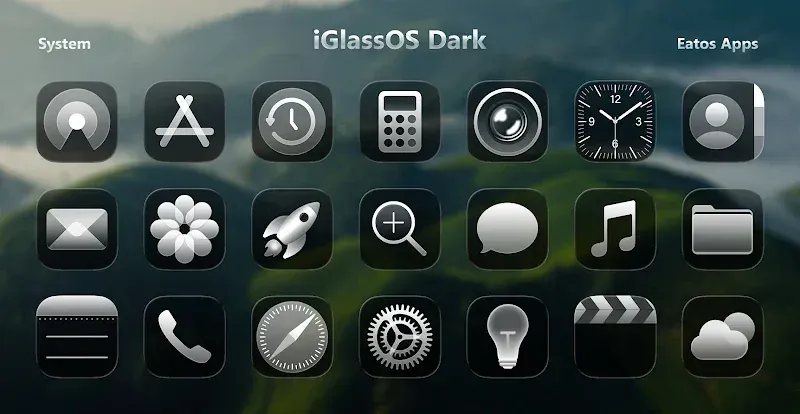
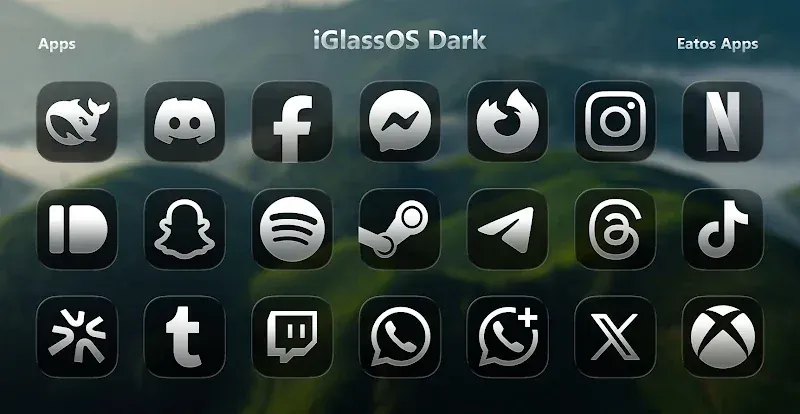
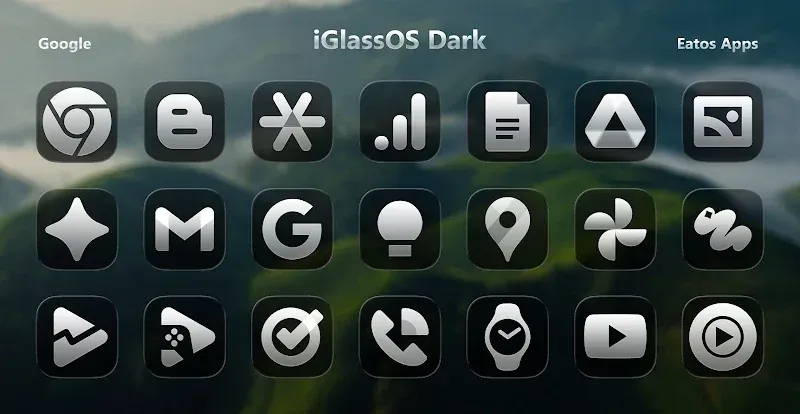
Give your smartphone a refined look with the iGlassOS Dark Icon Pack by Eatos. Featuring a generous array of smoked-glass icons, this set delivers a cohesive, professionally designed aesthetic across your device. Each glyph showcases bespoke detailing to stand out against generic glossy designs on Android. The creators focused heavily on visual uniformity, ensuring your app drawer looks clean no matter what software you run. Furthermore, the icons are crafted at generous resolutions so the dark glass effect looks sharp and distinct on modern displays.
In addition to iconography, the app provides a curated collection of high-resolution wallpapers tailored to the same dark aesthetic. These contrasting backgrounds work hand-in-hand with system-wide dark mode to create a sleek, futuristic theme. Designed specifically as a complementary canvas, the backdrops highlight foreground elements so your icons remain easy to see without blending into the scenery.
Broad compatibility guarantees comprehensive coverage across thousands of everyday tools, games, and system utilities. You can pick between various alternative glyphs for your favorite titles to match your personal taste. The app also features dynamic calendar support, displaying the actual date and month in real time right on your screen. In order to keep your interface fresh as new apps debut, the creators continuously update the library with new icons and refreshed designs.
The iGlassOS Dark control panel is designed for everyone from beginners to experienced themers. Casual users can explore thousands of items sorted across diverse categories, while advanced users can send icon requests directly to the developers. Built with lightweight efficiency in mind, the dashboard allows you to browse, search, and apply assets smoothly without slowing down your phone or causing lag.
Transforming your Android interface with iGlassOS Dark requires a compatible launcher such as Nova Launcher or Action Launcher. Once you have installed and activated your preferred launcher, open the iGlassOS Dark dashboard to select and apply your favorite icons. A quick device reboot afterward ensures that all visual changes take effect smoothly. The app provides comprehensive UI customization, allowing you to fine-tune icon sizes, the dock, and home screen folders to match your tastes. Whether you want subtle refinements or a total sleek dark overhaul, iGlassOS Dark MOD APK gives you complete control over your phone's appearance.
Designed to move away from bland or uninspired themes, this icon suite elevates your Android layout to a clean, professional standard leagues ahead of standard options. Users enjoy lag-free navigation with zero loading delays alongside stunning dark glass icons and backgrounds. The pack emphasizes an immersive home screen redesign, offering thousands of high-definition wallpapers across multiple resolutions and deep interface customization. For anyone seeking total aesthetic control and a sleek, futuristic look that fits right in your pocket, iGlassOS Dark is an outstanding choice.
Key Features
- Thousands of custom icons featuring a dark glass finish
- High-definition wallpapers styled in sleek dark glass
- Dynamic custom calendar icons
- Alternate icon designs for social networks, games, and system tools
- Built-in tool for submitting icon requests
- Home screen grid size customization
- Styling options for folders and the app dock
- In-dashboard search feature for quick icon browsing
Related MOD APKs
- OnePro Dark – Icon Pack
- OneGlass 8 (Color) – Icon Pack
- OneGlass (Dark) – Icon Pack
- OneGlass 7 – Icon Pack
FAQ
What does iGlassOS Dark – Icon Pack MOD APK unlock?
This 1.4.9 build of iGlassOS Dark – Icon Pack arrives with the Full Version unlocked. Based on the original Eatos release, all premium modifications are activated right after you finish installation.
What is the latest version of iGlassOS Dark – Icon Pack MOD APK?
The newest release is version 1.4.9, which corresponds to the Eatos update from June 21, 2026. GameUnlimit does not archive outdated builds, ensuring you always get the latest features. Simply install this APK over your current setup to update; if you encounter a signature conflict, uninstall the existing app beforehand.
Is iGlassOS Dark – Icon Pack MOD APK safe to download?
Yes, this iGlassOS Dark – Icon Pack 1.4.9 file delivers the authentic Eatos app enhanced with the Full Version mod. Rated 3.3/5 across 19 user reviews, it runs safely without requiring root access. Should Google Play Protect display a prompt, you can proceed securely by downloading directly from GameUnlimit.
Can I use iGlassOS Dark – Icon Pack MOD APK on PC or iPhone?
Because this is an Android APK package, it is incompatible with iPhone or iPad devices running iOS. If you want to use this 40M APK on a computer, simply run an Android emulator such as BlueStacks or LDPlayer and drag the file directly into the interface.
So installierst du es
- Lade die APK-Datei oben auf dein Handy herunter.
- Erlaube „Unbekannte Apps installieren“, wenn du gefragt wirst.
- Öffne die heruntergeladene APK und tippe auf Installieren.
- Enthält das Paket OBB/XAPK-Daten, folge der beiliegenden Anleitung.
MOD-APKs sind veränderte Versionen, daher kann Play Protect warnen. Installiere nur, wenn du der Datei vertraust – Nutzung auf eigenes Risiko.